The name is literal. The goal is exactly that simple: one archive that can live indefinitely on cheap infrastructure, with no dependency on an ecosystem that could change at any time.
Public Pages
SSS has five main pages facing visitors:
Home — Hero section with a portrait photo that has a flip card effect (3D Y-axis, 0.75s cubic-bezier). Front side is the photo; back side contains a hatched diagonal pattern, a monogram, and a tagline. Touch-friendly: tapping on mobile/tablet toggles the flipped state via a touchend handler.
Work — A filterable portfolio grid by category. Each project has its own detail page with a long description, tech stack, live URL, and an additional image gallery.
Writing — Blog with pagination. Posts are written in Markdown, rendered server-side. Supports headings 1–6, GFM tables, task list checkboxes, multi-line blockquotes, strikethrough, and fenced code blocks with language hints for syntax highlighters.
Photography — Horizontal-scroll gallery with a lightbox. Each photo can store metadata: category, location, camera info, date taken.
About — Bio, skills, and an experience timeline. Content is managed from the admin panel, not hardcoded in the template.
Admin Panel
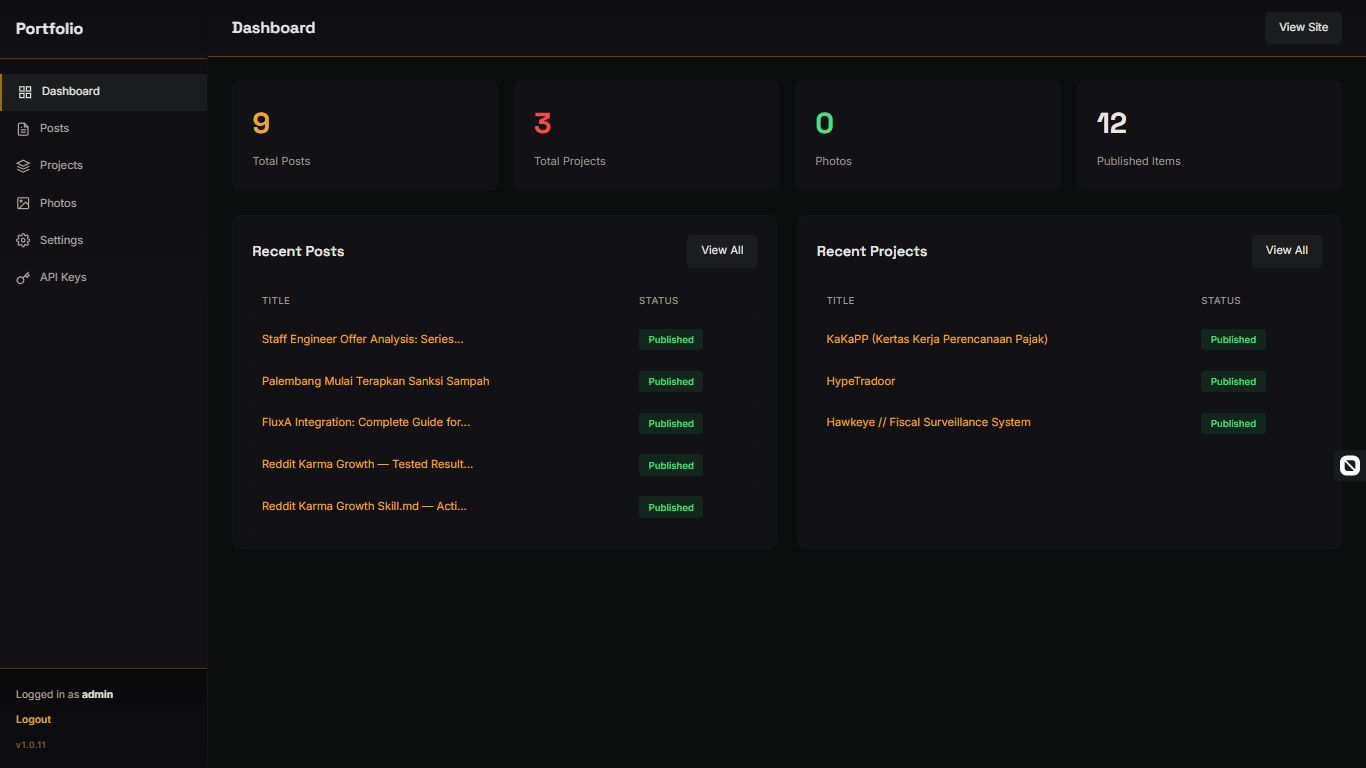
The admin panel is an internal CMS that manages all content. Protected by PHP sessions with bcrypt password hashing.
Blog Post Management — Textarea editor with Markdown. In v1.0.9, two QoL features were added: a collapsible Markdown Guide (a 2-column syntax reference) and a live word/character counter that updates in real time while typing.
Project Management — Form for title, description, long-form content (Markdown), category, client, live URL, and tech stack (comma-separated input stored as JSON). Thumbnail and additional image uploads.
Photo Management — Batch upload with optional per-photo metadata.
Settings — Site title, tagline, social links, items per page (separate settings for Work, Writing, Photography). Includes password change.
API Keys — Generate and manage API keys for external integrations (see REST API section below).
Architecture and Routing
Routing is handled via a single entry-point index.php at the root that reads the path and includes the corresponding page file. No router library; clean URLs (/writing/post-slug) are handled by Apache/LiteSpeed rewrite rules that forward all requests to that single entry point.
The structure is organized into three main layers: includes (DB connection, helper functions, header/footer templates), pages (one file per public page), and admin (a separate panel with its own header/footer).
All database queries use PDO with prepared statements throughout. The connection is initialized as a singleton — one connection per request, reused across all functions.
Requirements: PHP 8.0+ (8.2+ recommended), PDO, PDO_MySQL, mbstring, json, fileinfo, and GD extensions. MySQL 5.7+ or MariaDB 10.3+. Apache with mod_rewrite, or LiteSpeed.
Database Schema
Six core tables:
posts — Blog posts with title, slug (UNIQUE), content (TEXT), excerpt, featured_image, and a status ENUM (published, draft). Indexed on status, created_at, and slug.
projects — Portfolio items. The images and technologies fields are stored as JSON — allowing multiple images and a tech stack array without additional join tables.
photos — Photo gallery with metadata: category, location, camera_info, taken_at (DATE), sort_order.
categories — Master category list for both projects and photos, distinguished by a type ENUM (project, photo).
settings — Key-value store for site configuration. Unique constraint on setting_key.
about_content — About page content per section (hero, bio, skills, experience). Unique constraint on section.
api_keys (added via migration) — Table for REST API integration. Fields: name (label), api_key (64-char hex, UNIQUE), is_active (TINYINT), and last_used_at (timestamp tracking last usage).
Markdown Engine
SSS uses Parsedown (~52 KB) as the primary Markdown parser — a pure PHP library with zero dependencies, instantiated as a static singleton per request.
Starting from v1.0.8, Markdown support was significantly expanded:
- GFM tables — pipe tables with a header row, striped rows, hover state, and overflow scroll for narrow screens
- Task list checkboxes —
- [ ]and- [x]syntax renders as visually interactive disabled checkboxes - Multi-line blockquotes — consecutive
>lines are merged into a single<blockquote>with proper paragraph wrapping - Strikethrough —
~~text~~renders as<del> - All heading levels — h1 through h6 fully supported in both parser and CSS
- Code block language hints — fenced code blocks with a language tag (e.g.
```php) emitclass="language-php"for syntax highlighter compatibility
There is also an internal fallback Markdown parser (pure PHP regex) that activates if Parsedown is unavailable — useful for very constrained environments. The fallback handles bold, italic, bold+italic, inline code, links, images, and fenced code blocks.
REST API for External Integration
SSS has a simple REST API designed for integration with AI agents (OpenClaw/Hermes/et al), an autonomous agent that can publish posts to the blog on a schedule.
Endpoint: POST /api/create-post
Authentication: X-API-Key: <key> header
Request body (JSON):
{
  "title":   "Post title",
  "content": "Content in Markdown",
  "excerpt": "Optional summary",
  "status":  "draft"
}
Success response (HTTP 201):
{
  "success": true,
  "post": {
    "id":     42,
    "title":  "Post title",
    "slug":   "post-title",
    "status": "draft",
    "url":    "/writing/post-title"
  }
}
The endpoint implementation includes:
- DB-backed API key lookup — key is validated against the
api_keystable withis_active = 1; each successful hit updates thelast_used_attimestamp - Input validation — title max 255 chars, content max 800,000 chars (~800 KB), excerpt max 1,000 chars; errors return HTTP 422 with per-field details
- Auto-slug — a unique slug is generated from the title; if the slug already exists, a counter suffix is appended (
-2,-3, etc.) - Auto-excerpt — if no excerpt is sent, the server auto-truncates the first 200 characters of content
- CORS — preflight OPTIONS requests are handled,
Access-Control-Allow-Origin: *header included
API keys are managed from the admin panel. Each key has a label, an active/inactive status, and a last-used timestamp.
Skill File for AI Agents
SSS ships with a skill definition file for AI agents (OpenClaw and compatible) that defines:
- When to activate the skill (keywords, state conditions, output from other tasks)
- Request structure and field rules
- Response code table and agent behavior per code (
401/403→ stop, no retry;500→ retry once after 60 seconds) - Full execution pseudocode including duplicate detection via
state.json - Tone and content style guide (Indonesian for crypto/gov-tech content, English for technical/dev content)
- Sample YAML task for the OpenClaw scheduler (weekly cron, generate → publish pipeline)
pending_postpattern instate.jsonto prevent double-publishing if the agent restarts
This allows an AI agent to autonomously generate and publish posts to the blog without manual intervention.
Frontend
Theme: Dark elegant. CSS custom properties cover the full color system: primary/secondary background, blue accent (#3b82f6) and red accent (#ef4444), primary/secondary text, border, surface.
Animations: Scroll reveal with Intersection Observer. Native image lazy loading (loading="lazy"). Hero portrait flip card with CSS 3D transform — perspective, rotateY, transform-style: preserve-3d, cubic-bezier transition at 0.75s.
JavaScript: Vanilla, no jQuery. Organized as function modules within a single file. Includes handlers for the photo gallery lightbox, portfolio category filter, and flip card touch support.
Icons: Feather Icons (inline SVG). Fonts: Space Grotesk for headings, Inter for body — both from Google Fonts.
Security
- Password hashing via bcrypt using PHP's built-in functions
- All database queries use PDO prepared statements
- CSRF protection on admin forms
- File upload validation with MIME type whitelisting
- Server configuration blocks direct access to sensitive files
- API keys are never hardcoded; stored in the database, referenced via configuration
- Custom session name for session management
- PHP error display disabled in production via server configuration
Deployment
Runs on standard shared hosting. No SSH needed for day-to-day operation — all content management goes through the web-based admin panel. Files uploaded via FTP or SSH, schema run via phpMyAdmin, configuration through a single PHP file.
For Nginx (when not using Apache/LiteSpeed), manual try_files configuration is required since there is no .htaccess. Beyond that, the process is identical.
Changelog
v1.0.11 — current release (May 2026)
v1.0.10 — 3D flip card on hero portrait, mobile touch support
v1.0.9 — collapsible Markdown Guide in admin editor, live word/character counter
v1.0.8 — GFM tables, task list checkboxes, multi-line blockquotes, strikethrough, full h4–h6 support
v1.0.0 — initial release: blog CMS, portfolio, photo gallery, admin panel, clean URL routing
SuperSimpleSite — PHP, MySQL, Vanilla JS. Nothing more, nothing less.